A.R.I.E.S — Universal Virtual Try-On & Fit Engine
Architecting an end-to-end computer vision ecosystem: Manifest V3 client capture, asynchronous FastAPI data pipelines, and MediaPipe human body frame measurement.
From Product Page to Fit Result
The path a garment takes through the platform, end to end.
1. Capture
The Manifest V3 extension injects action hooks into the product page.
2. Store
Metadata and images land in the PostgreSQL wardrobe store.
3. Serve
Async FastAPI endpoints, secured with JWT, sync carts and libraries.
4. Measure
MediaPipe Pose maps body keypoints from a webcam frame.
5. Fit
Shoulder width and torso height drive the fit result, locally.
Cross-Platform E-Commerce Ingestion
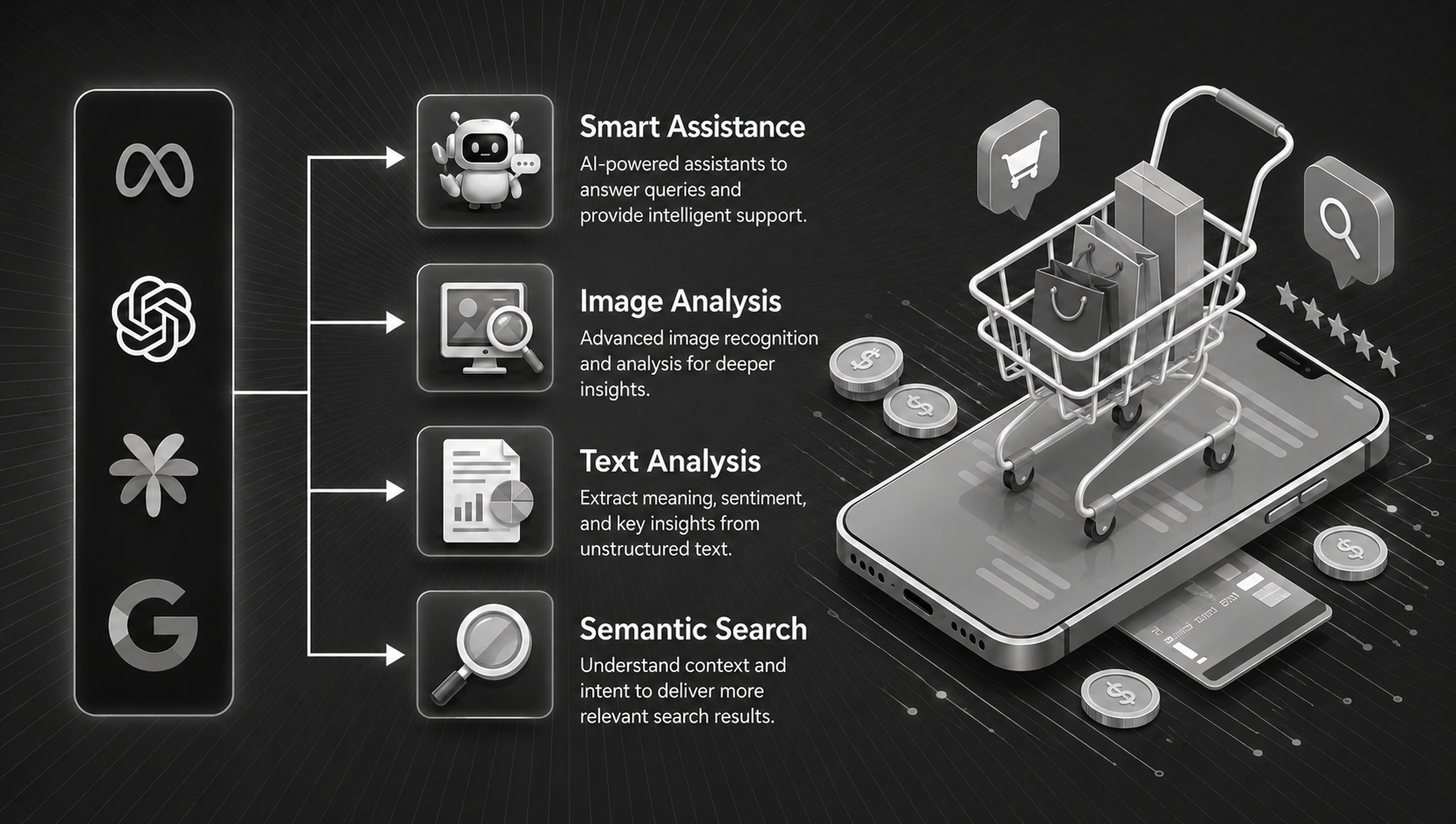
The platform bridges external e-commerce web storefronts with a centralized virtual dressing room using a Manifest V3 browser extension. It dynamically injects action hooks into any product page to extract product metadata and image assets directly into a PostgreSQL wardrobe store.
The backend services are engineered around an asynchronous FastAPI framework, exposing scalable REST API endpoints secured via JWT authentication for session management, cart syncing, and user garment libraries.
Real-Time Anthropometric Fit Engine
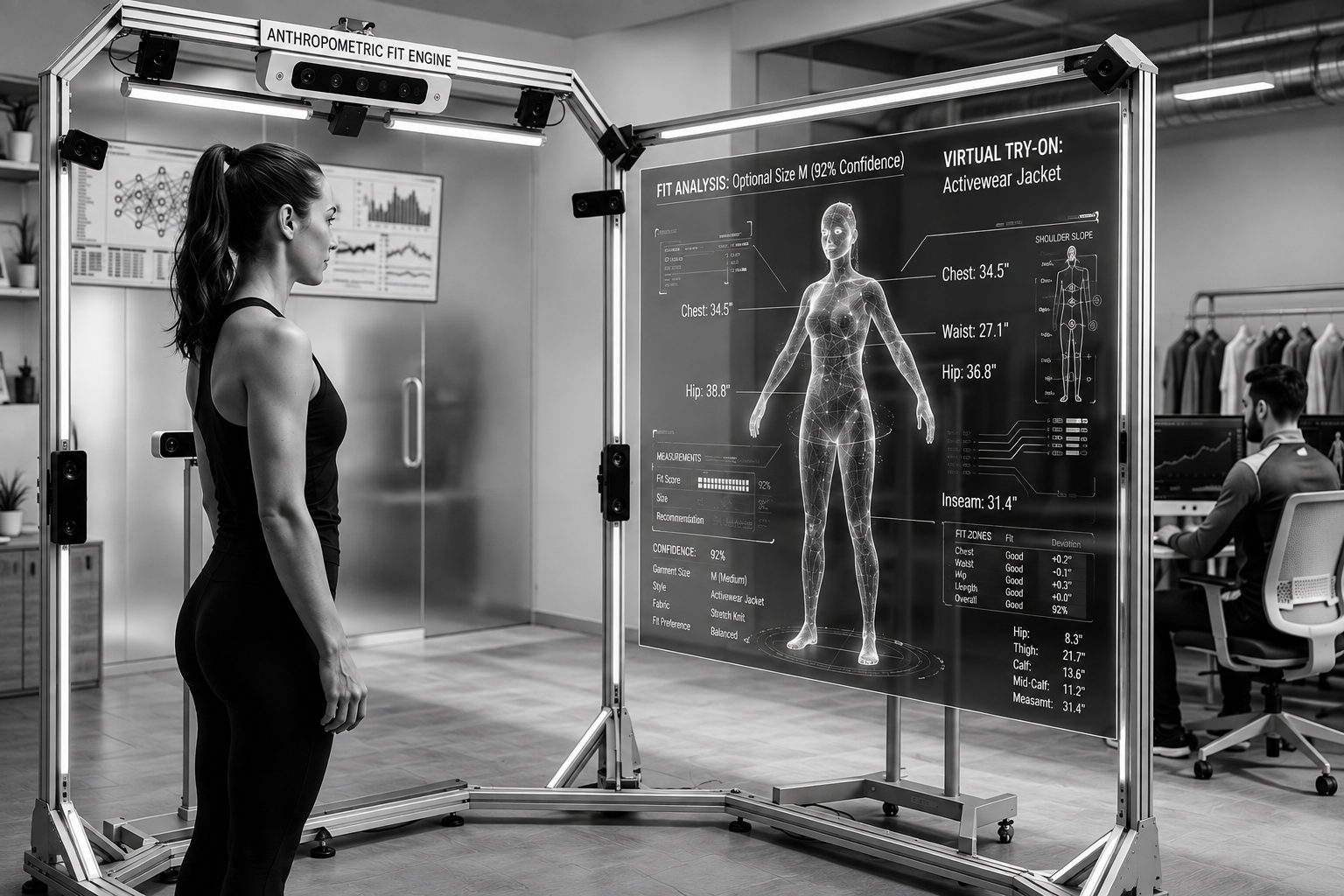
At the core of the fit analysis system is a Python inference engine leveraging MediaPipe Pose tracking and NumPy to compute real-time anthropometric keypoints directly from standard webcam frames.
- Keypoint Estimation: Maps body landmarks to calculate shoulder width, torso height, and frame scaling.
- Snapshot Capture: Custom OpenCV triggers allow instant visual measurement logging.
- Local Execution: Operates locally on edge devices without requiring server round-trips.
Dashboard & Generative Roadmap
Next.js 14 Dashboard
Interactive App Router dashboard with Tailwind styling and live webcam canvas controls.
PostgreSQL & SQLAlchemy
Async database schema managing user profiles, custom wardrobes, and fit history.
IDM-VTON Diffusion
Planned GPU inference server integration for neural garment warping and synthesis.
Semantic Parsing
SCHP / DeepLabV3+ segmentation pipeline for precise clothing mask isolation.

Quickstart & Local Setup Guide
1. Repository & FastAPI Backend
# Clone repository
git clone https://github.com/siddarthgulimi/aries_tryon-.git
cd aries_tryon-/universal-tryon/backend

# Create virtual environment & dependencies
python3 -m venv venv && source venv/bin/activate
pip install -r requirements.txt

# Database setup & server execution
createdb tryondb
cp .env.example .env
uvicorn main:app --reload --host 0.0.0.0 --port 8000
2. Next.js 14 Dashboard
# Navigate to frontend folder
cd ../frontend

# Install node dependencies
npm install
cp .env.local.example .env.local

# Run development server
npm run dev
Access dashboard at http://localhost:3000.
3. Manifest V3 Extension
- Open Chrome and navigate to
chrome://extensions. - Toggle Developer Mode on in the top-right corner.
- Click Load unpacked and select the
universal-tryon/extension/folder. - Update
apiBasein `content.js`, `background.js`, and `popup.js` to target your local API endpoint.
4. Standalone Fit Engine CLI
# Navigate to fit-engine
cd ../fit-engine
pip install -r requirements.txt

# Run pose measurement CLI
python fit_engine.py --height-cm 175 --garment garment.example.json
Press s in the OpenCV window to capture a measurement snapshot or q to quit.
Try It Yourself
Run the project live in your browser, or install the open-source build on your own machine.
Run it in your browser
The A.R.I.E.S dashboard runs here with an in-browser port of its API: the imported cart, the Dressing Room with live size switching and fit status, and the Digital Wardrobe. Sign in with demo@aries.app / demo1234.
Product capture from real stores needs the browser extension; the demo cart is pre-filled with sample garments.
Install it on your machine
Run the FastAPI backend with PostgreSQL, the Next.js dashboard, the Manifest V3 extension that captures products from any store, and the MediaPipe fit engine.
INSTALL THE PROJECT (OPEN SOURCE) Source code on GitHubExplore the Source Code
Access the complete codebase containing the Manifest V3 browser extension, FastAPI server, MediaPipe fit engine CLI, and Next.js frontend application.
View Repository on GitHub