Daedalus — Robot Vision Lab
A desktop learning lab where three robots teach path planning, computer vision and maze algorithms: program Argus with command cards, drive it with hand gestures, let Echo read your face, and race Theseus through generated mazes. All vision runs offline.
One App, Three Robots
Daedalus (version 2.0, the successor to RoboForge Lite) turns robotics fundamentals into something you can see and play with. Each robot covers one discipline: Argus for programming and path planning, Echo for computer vision, and Theseus for maze generation and search algorithms.
It installs as a standard Windows 10/11 desktop application. The computer-vision models ship inside the app, so it needs no internet connection and no image ever leaves the computer.
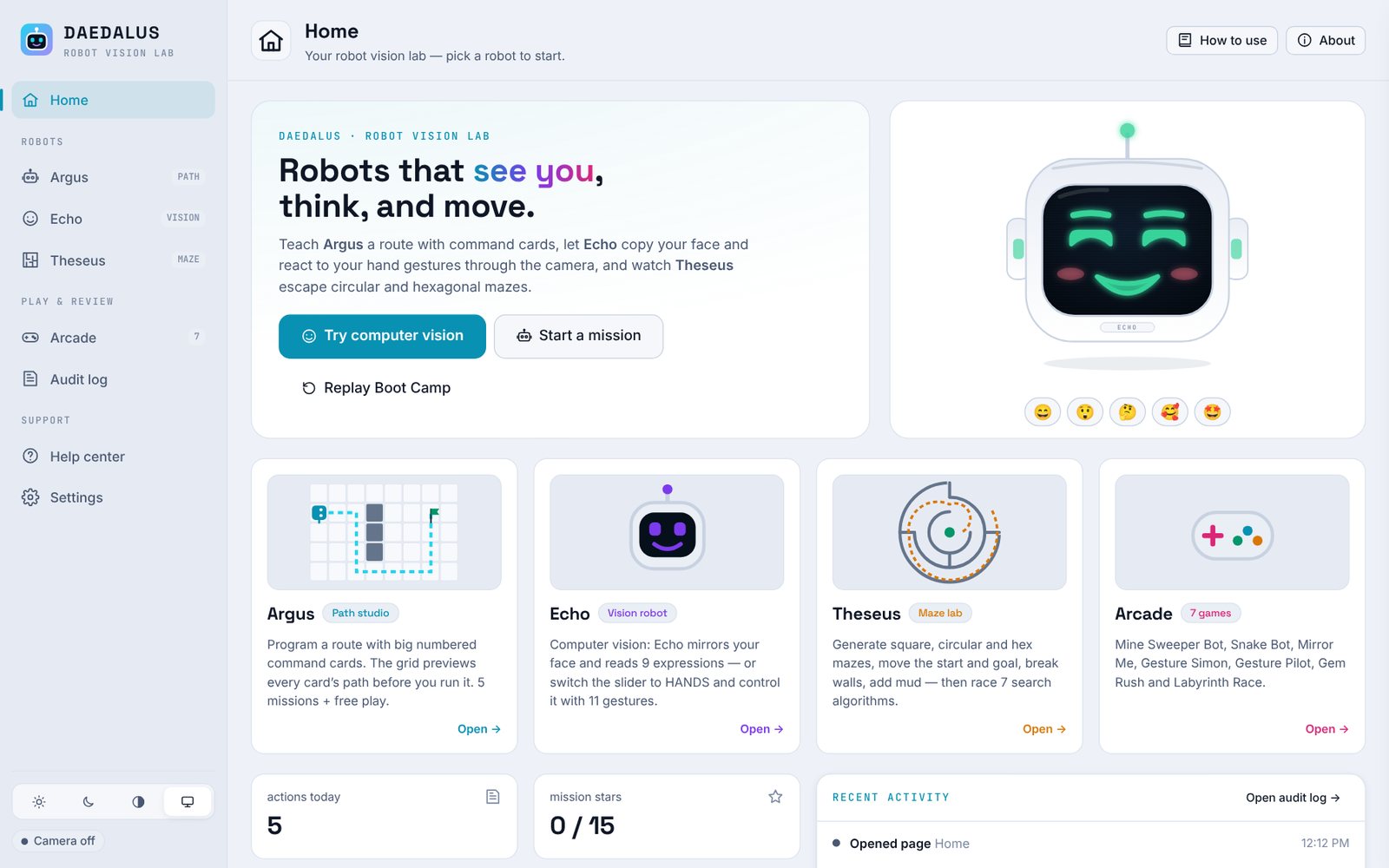
How a Session Flows
A mandatory, seven-step Boot Camp walks every new user through the whole lab before it unlocks.
1. Meet the robots
Wake up Argus, Echo and Theseus.
2. Place a card
Drag a Forward card, set the number, run.
3. Move the goal
Click to move the flag, auto-plan, run.
4. Face or hands
Use the FACE / HANDS slider and try gestures.
5. Solve a maze
Generate a maze and watch A* solve it.
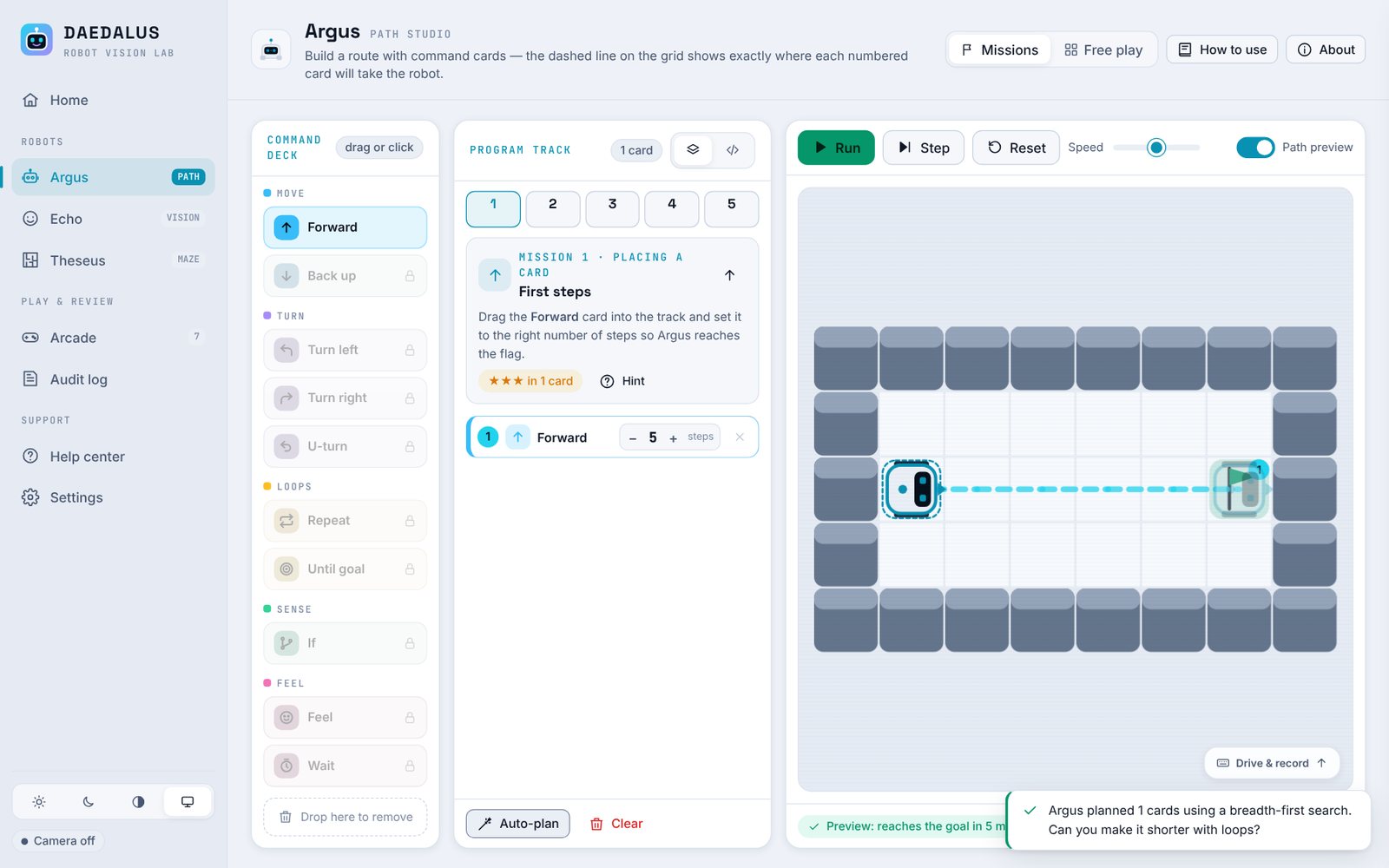
Argus: Path Studio
The advanced replacement for a Scratch-style editor. Big numbered command cards (Forward, Back, Turn, U-turn, Repeat, Until goal, If <sensor>, Feel, Wait) build a program, and the grid shows a dashed live preview of the route before it runs.
- Live preview: the coloured number on the grid matches the card; hovering a card highlights its part of the route
- Auto-plan: the robot computes the shortest route with breadth-first search
- Drive & record: arrow keys or the pad drive the robot and write the cards for you
- Hands-free: point to drive, thumbs-up to run, open palm to pause
Echo: On-Device Computer Vision
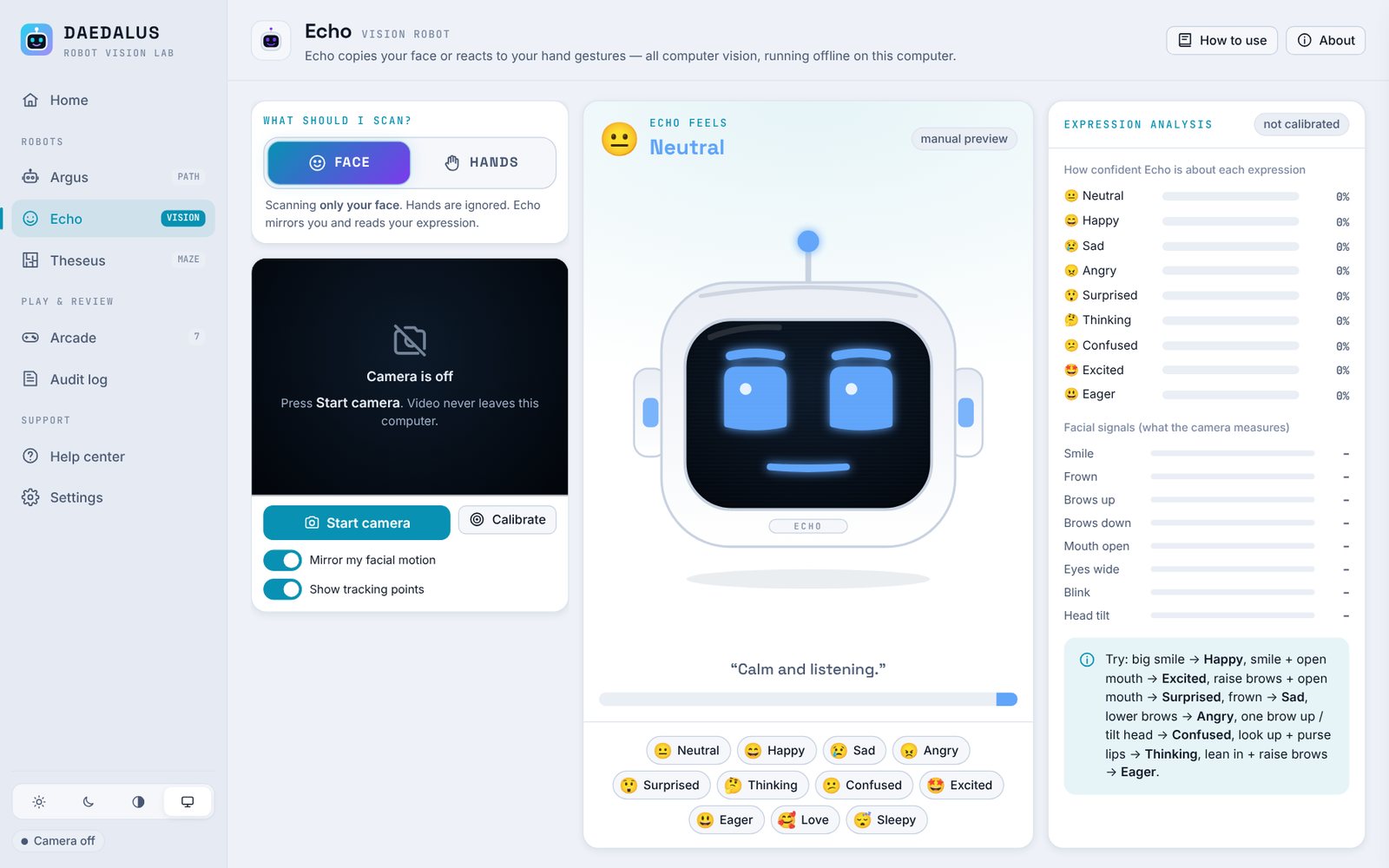
Echo is the heart of the project. A FACE / HANDS slider decides what the camera scans, and only that model runs, keeping it fast on ordinary laptops.
9 Expressions
Happy, Sad, Angry, Surprised, Thinking, Confused, Excited, Eager and Neutral, with live confidence bars.
11 Gestures
Thumbs up, fist, open palm, point, victory, OK, rock on and more, each remappable to an expression.
Live Mirroring
Echo copies blinks, eyebrows, mouth and head tilt in real time.
Fully Offline
Google MediaPipe models are bundled; no image is uploaded or saved.
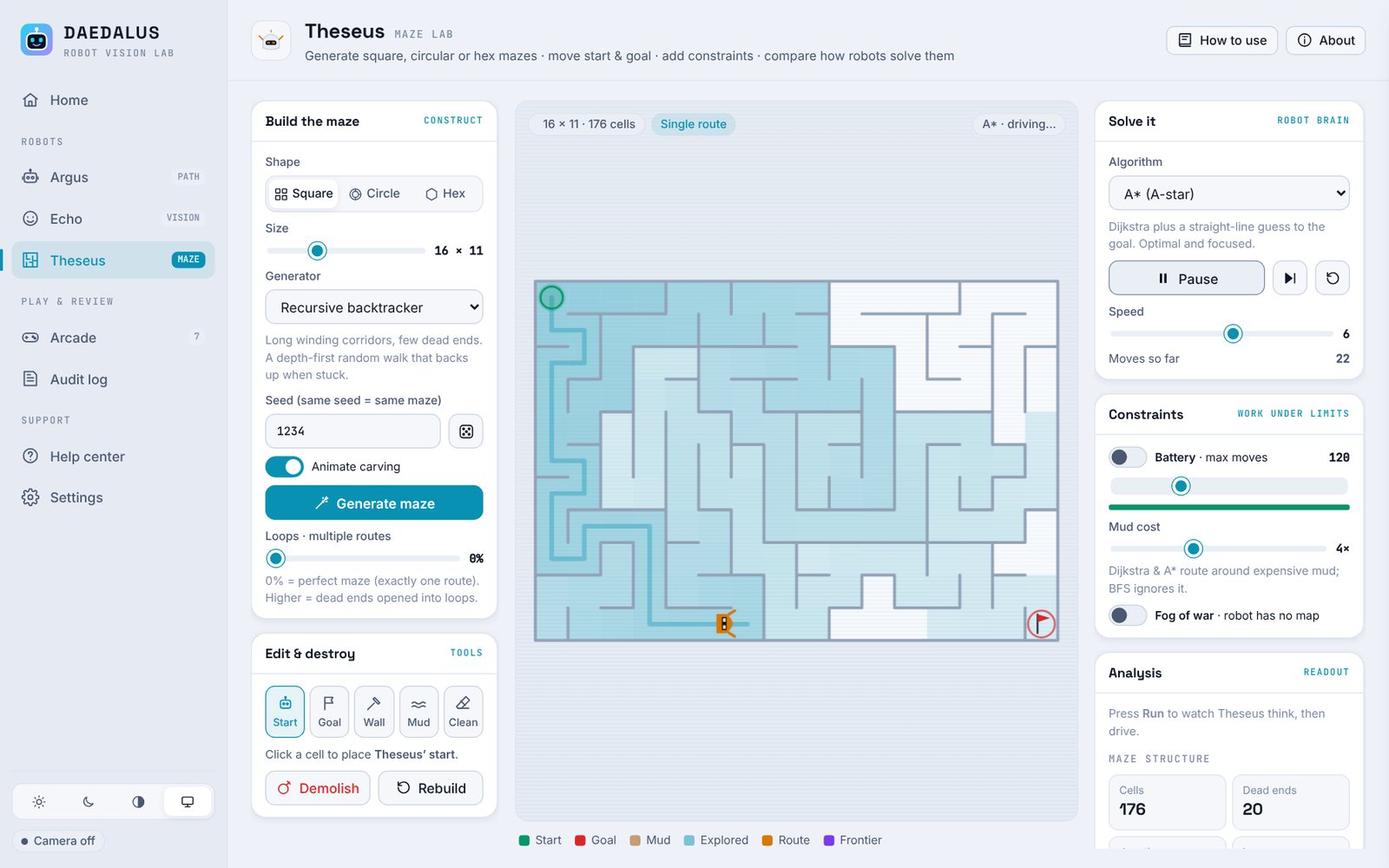
Theseus: Maze Lab
Square, circular and hexagonal mazes built by five generators (recursive backtracker, Prim, Kruskal, Wilson, hunt-and-kill), with a loops slider for multiple routes.
- 7 solvers: BFS, DFS, A*, Dijkstra, Greedy, wall follower and Trémaux
- Constraints: battery move budget, mud cost and fog of war
- Analysis: a compare-all-solvers table shows how each algorithm behaved
Arcade & Reports
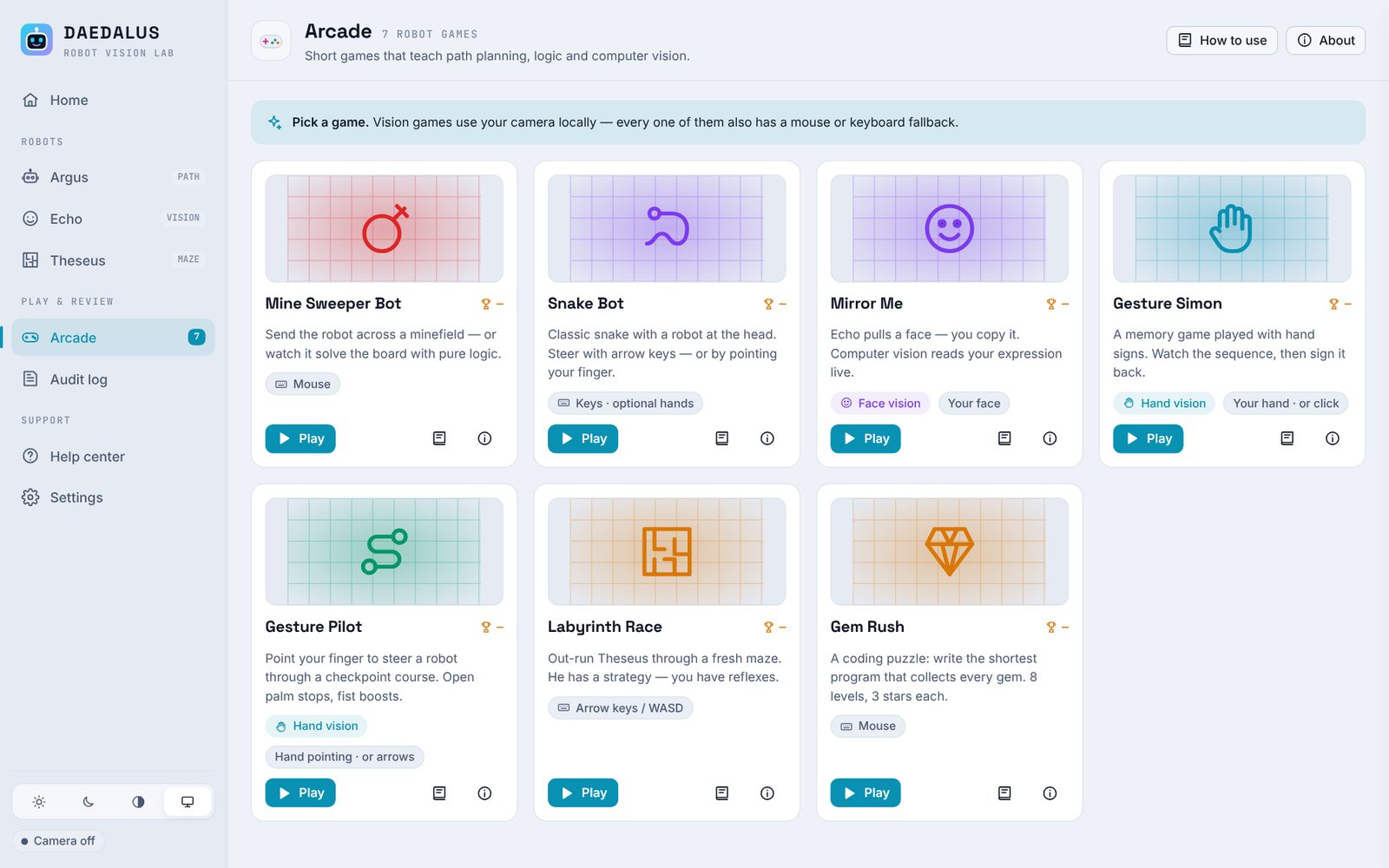
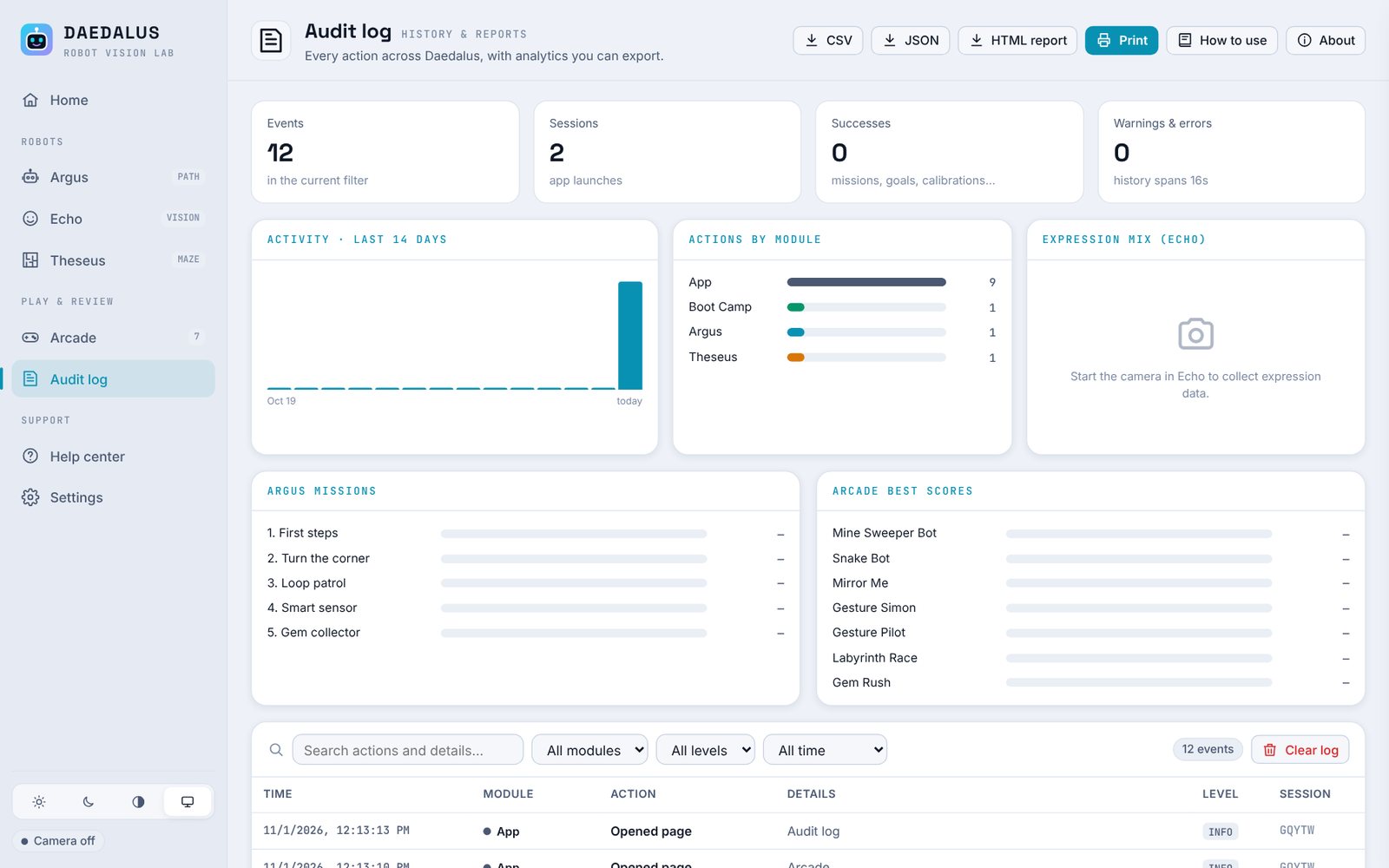
Seven games put the same skills to work, and every action is logged for review.
Quickstart & Local Setup Guide
1. Install on Windows
- Unzip the release folder anywhere.
- Double-click
Daedalus-Setup-2.0.0.exe. - If SmartScreen appears: More info → Run anyway (the installer is not code-signed).
- Launch Daedalus Robot Vision Lab from the Desktop or Start menu.
2. Run from Source
cd source
npm install
npm start        # run in development
npm run dist     # build dist/Daedalus-Setup-2.0.0.exe
Requires Node.js 18+ on Windows. The UI is plain HTML/CSS/JavaScript in source/app/.
3. Camera Troubleshooting
- Close other apps using the webcam.
- Windows Settings → Privacy & security → Camera → allow desktop apps.
- Several cameras? Pick one in Settings → Camera & computer vision.
- If video freezes, switch processing from GPU to CPU.
4. Code Map
app/js/argus.js     Argus path studio
app/js/echo.js      Echo vision robot
app/js/vision.js    camera + MediaPipe
app/js/maze.js      maze engine
app/js/arcade.js    arcade hub
app/js/audit.js     audit log + reports
Try It Yourself
Run the project live in your browser, or install the open-source build on your own machine.
Run it in your browser
The full Daedalus lab runs in this page: Boot Camp, Argus path studio, Echo’s face and gesture vision, Theseus mazes and the arcade. The camera is processed locally by the bundled models; no image leaves your device.
RUN DEMOAllow camera access for Echo and gesture driving; everything else works without a camera.
Install it on your machine
Get the Windows installer or run the Electron source with Node.js. Progress, missions and settings are stored on your machine.
INSTALL THE PROJECT (OPEN SOURCE) Source code on GitHubExplore the Source Code
Download the installer and the complete Electron source: Argus path studio, Echo vision robot, Theseus maze lab, the seven arcade games and the reporting module.
View Repository on GitHub