Sovereignty Engine: Data Residency Tracking & Proof
Where is your data right now, where has it been, and can you prove it never left the jurisdiction?
Clouds Scale. Borders Don’t.
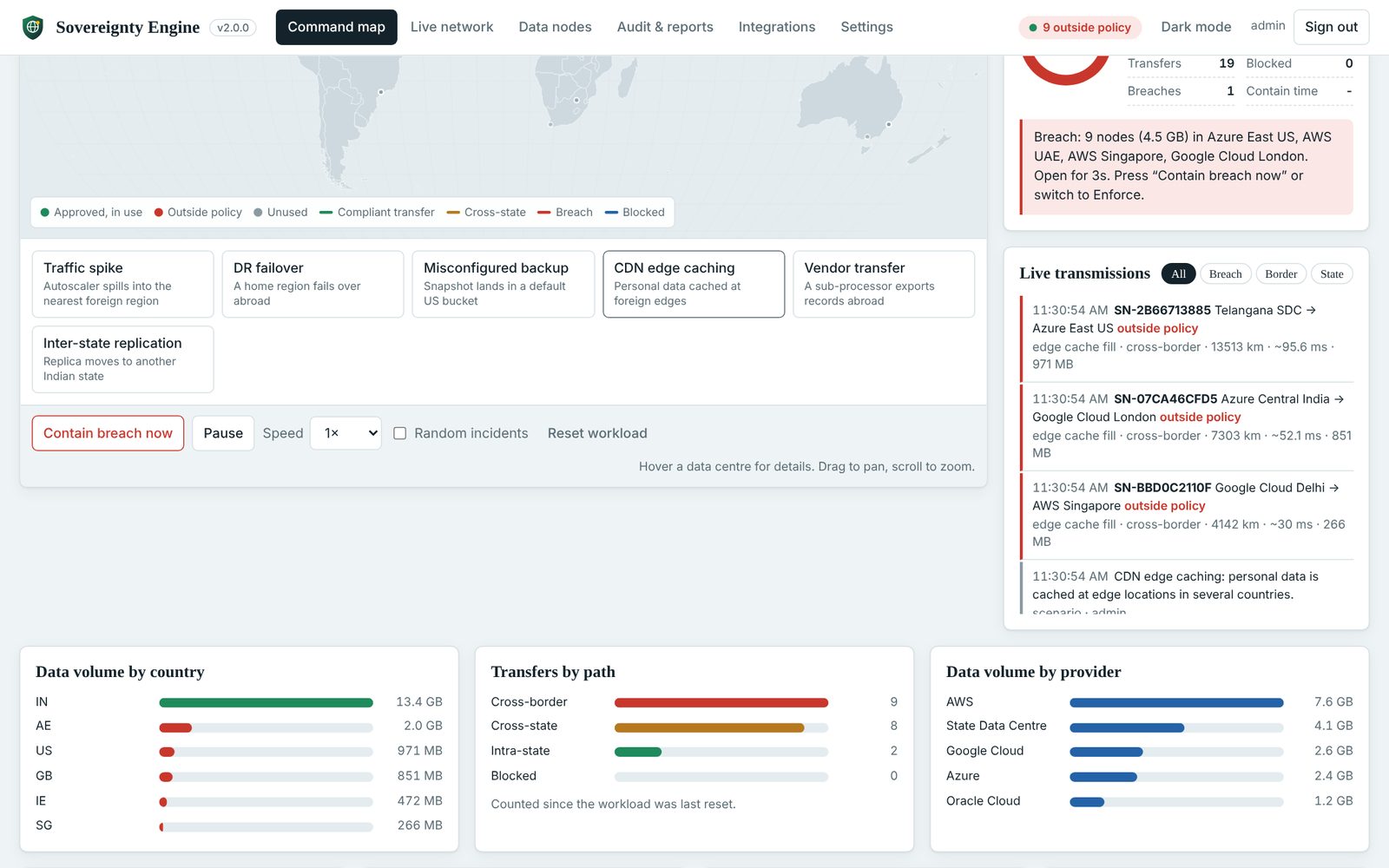
Cloud applications grow on their own. A busy afternoon starts servers in the nearest region with capacity, a disaster-recovery plan fails a region over to a neighbouring country, a backup job drops a snapshot into a default bucket abroad, and a CDN caches personal data at edges on three continents. Conventional monitoring sees the application; it does not see where each record went.
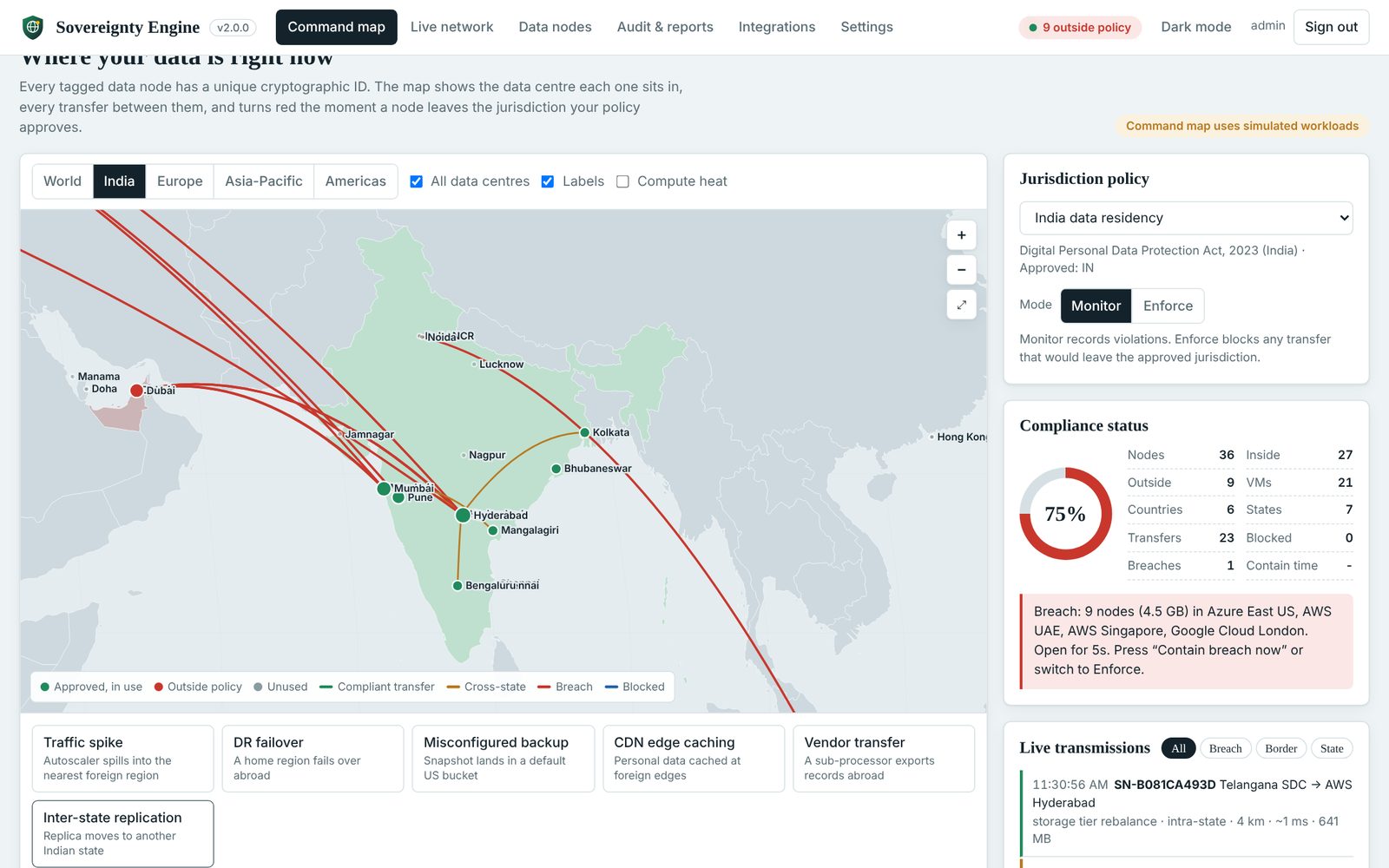
India’s Digital Personal Data Protection Act, 2023, the EU GDPR, Singapore’s PDPA, state data-centre policies and client contracts all ask one question: can you prove the data stayed where it was supposed to? Sovereignty Engine answers it, down to the individual data node, data centre and Indian state.
How the Engine Works
Five steps run continuously for every tagged node. Each step writes to the same tamper-evident audit chain.
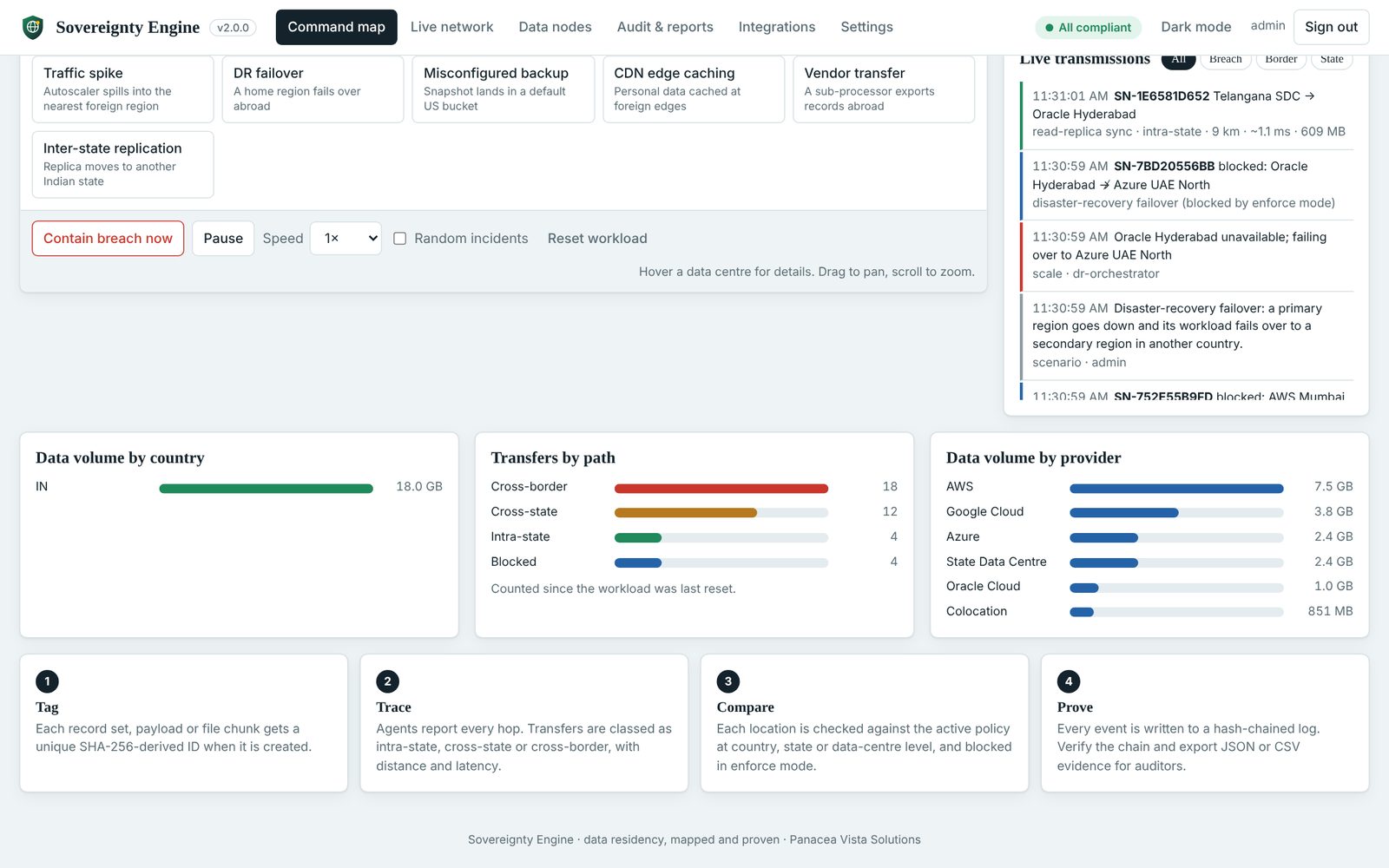
1. Tag
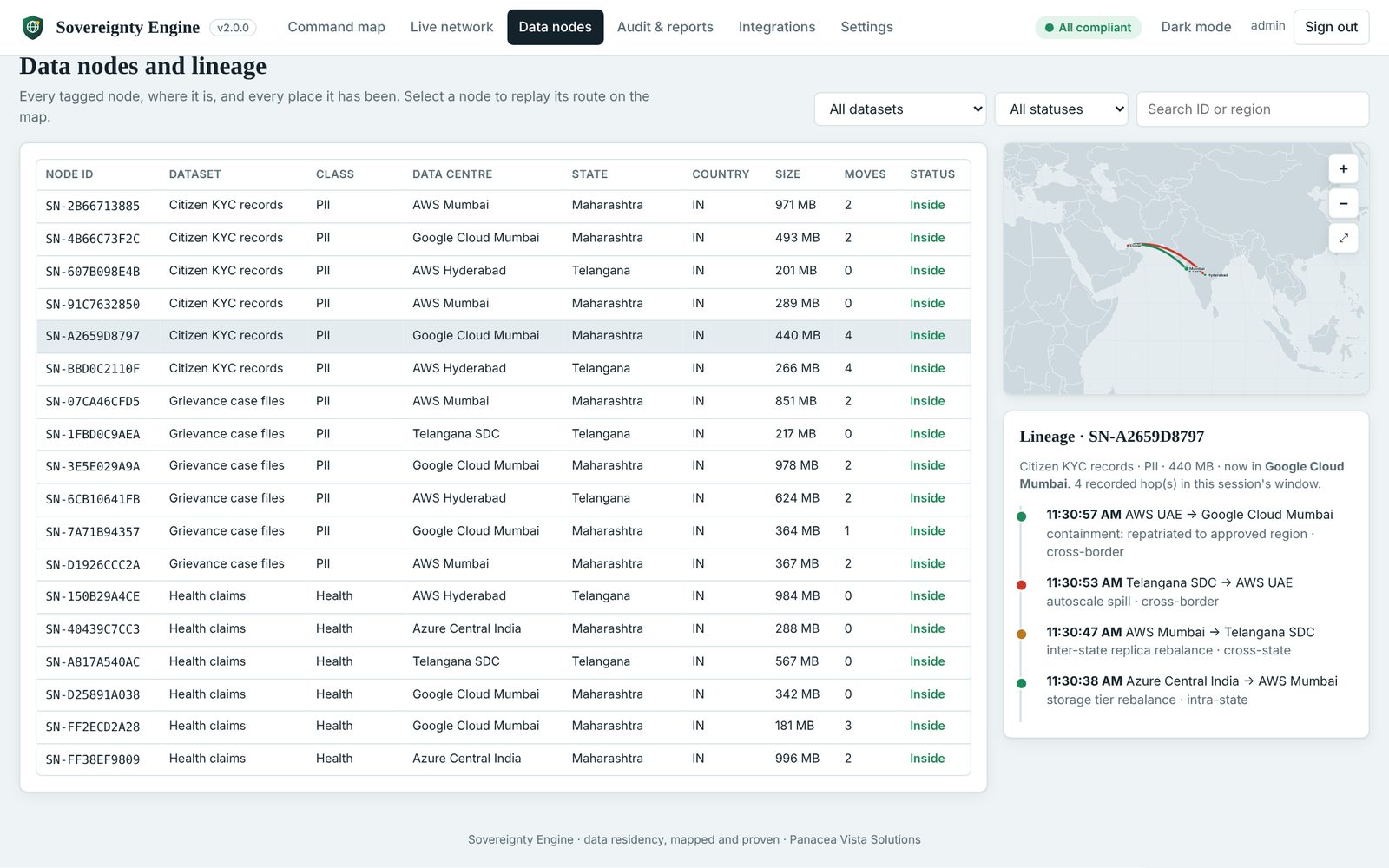
Each record set, payload or file chunk receives a unique SHA-256-derived node ID.
2. Trace
Every hop is logged with source, destination, distance and estimated latency.
3. Compare
Locations are checked against the active policy at country, state or data-centre level.
4. Enforce
In enforce mode, out-of-jurisdiction transfers and VM spin-ups are refused.
5. Prove
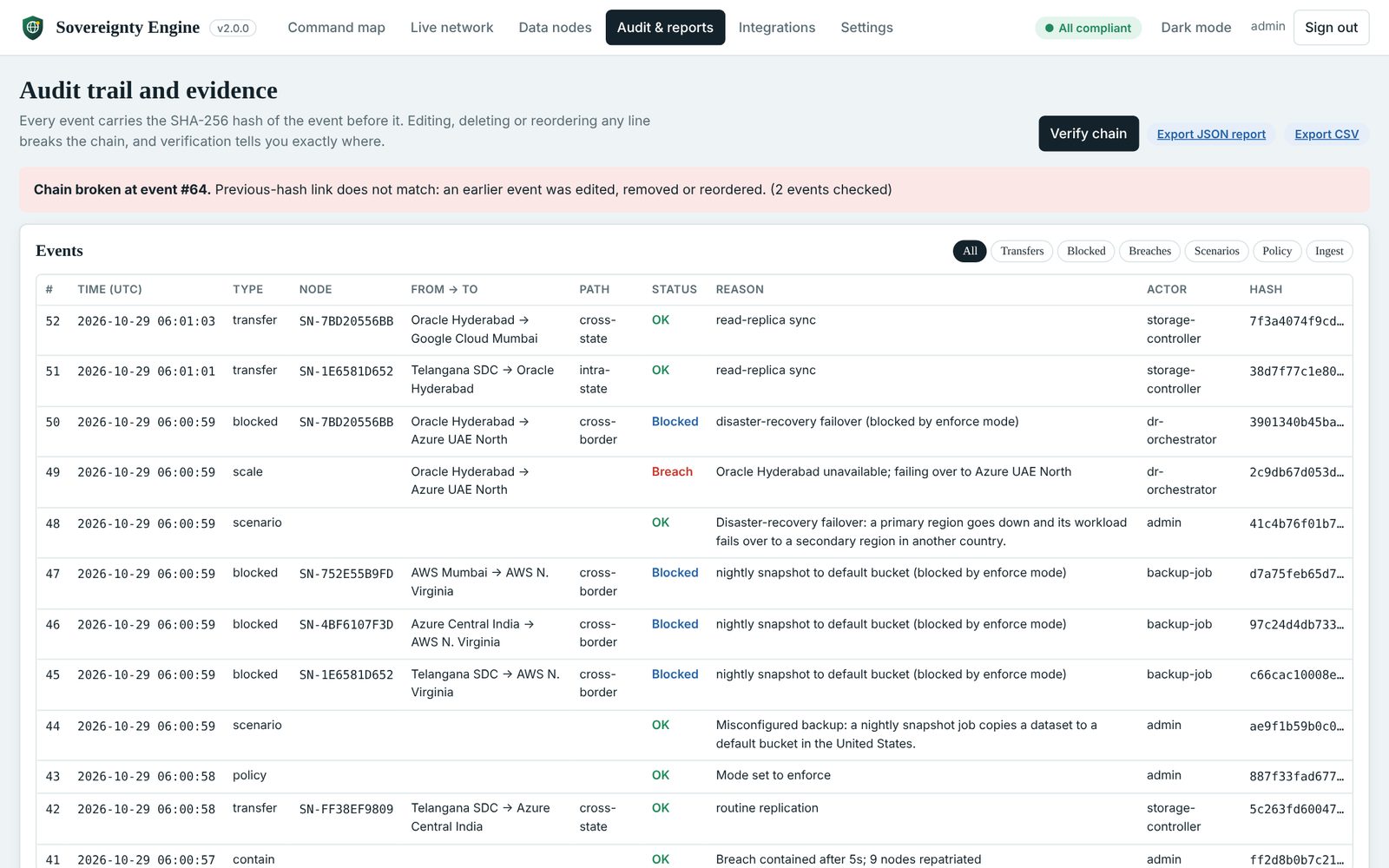
A SHA-256 hash chain makes any edit to history detectable; evidence exports in JSON or CSV.
Country, State and Data-Centre Precision
The catalogue covers AWS, Azure, Google Cloud and Oracle regions worldwide, plus Indian State Data Centres (Telangana, Andhra Pradesh, Odisha, Uttar Pradesh) and colocation hubs, each tagged with city, state and country.
- Path classification: every transfer is intra-state, cross-state or cross-border
- Built-in policies: India (DPDP), Telangana state residency, EU (GDPR), Singapore (PDPA), US
- Custom policies: approve any mix of countries, Indian states or individual data centres
Detect, Contain, Prevent
Six Real-World Scenarios
Traffic spike, DR failover, misconfigured backup, CDN edge caching, vendor transfer and inter-state replication.
One-Click Containment
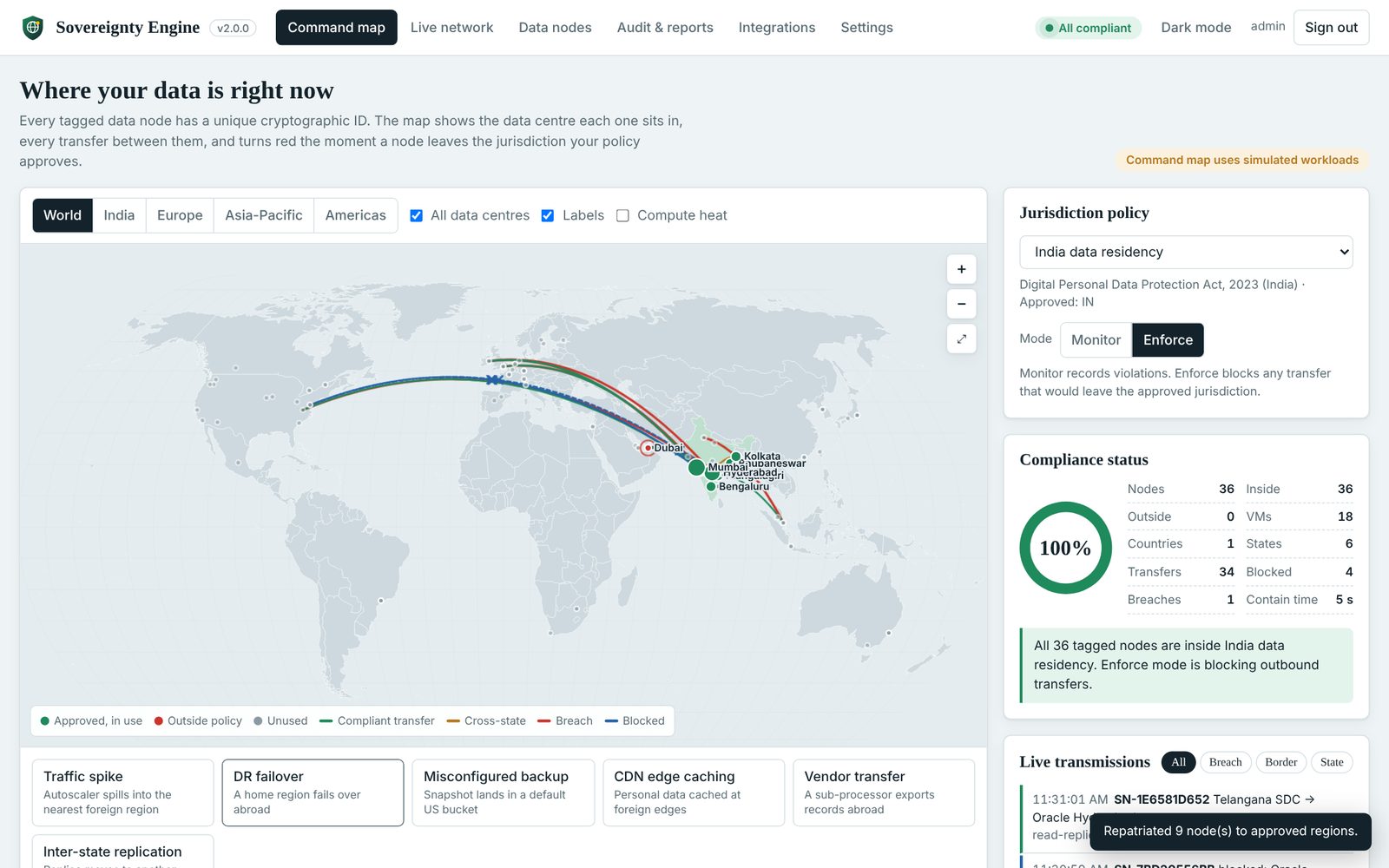
Repatriates every out-of-policy node to the nearest approved region and records time-to-contain.
Enforce Mode
Blocks the transfer before it happens; blocked attempts are drawn as dashed blue arcs and logged.
Live Scorecard
Compliance %, nodes inside/outside, countries and states in use, breaches and average containment time.
Reading the Signals
Every transmission appears in the live feed with its route, path class, distance, estimated latency and size. Summary panels break data volume down by country and provider, and count transfers by path.
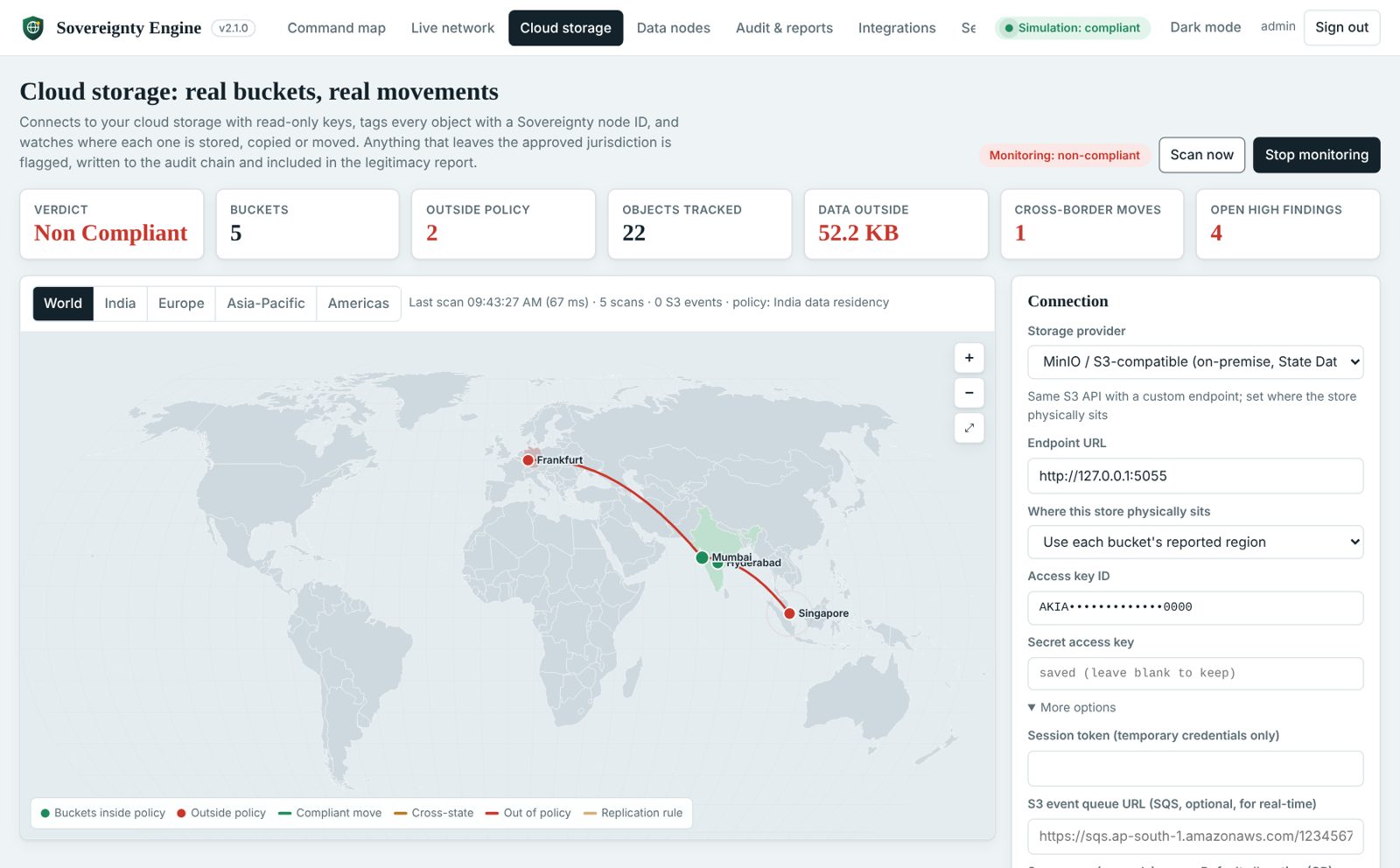
Real Cloud Storage: Amazon S3 Connector
Version 2.1 connects to live cloud storage with a read-only key. Every bucket is located and checked against the policy, every object receives an se-node-id tag that travels with it on copy and replication, and the same identity appearing in another bucket is recorded as a copy or a move.
- Bucket fill levels: usage against the allocation you plan, with a warning before overflow pushes data into the wrong region
- Replication rules: cross-border rules are flagged before any data has moved
- Test Lab: real buckets in Mumbai, Hyderabad and Singapore with synthetic records that overflow region to region
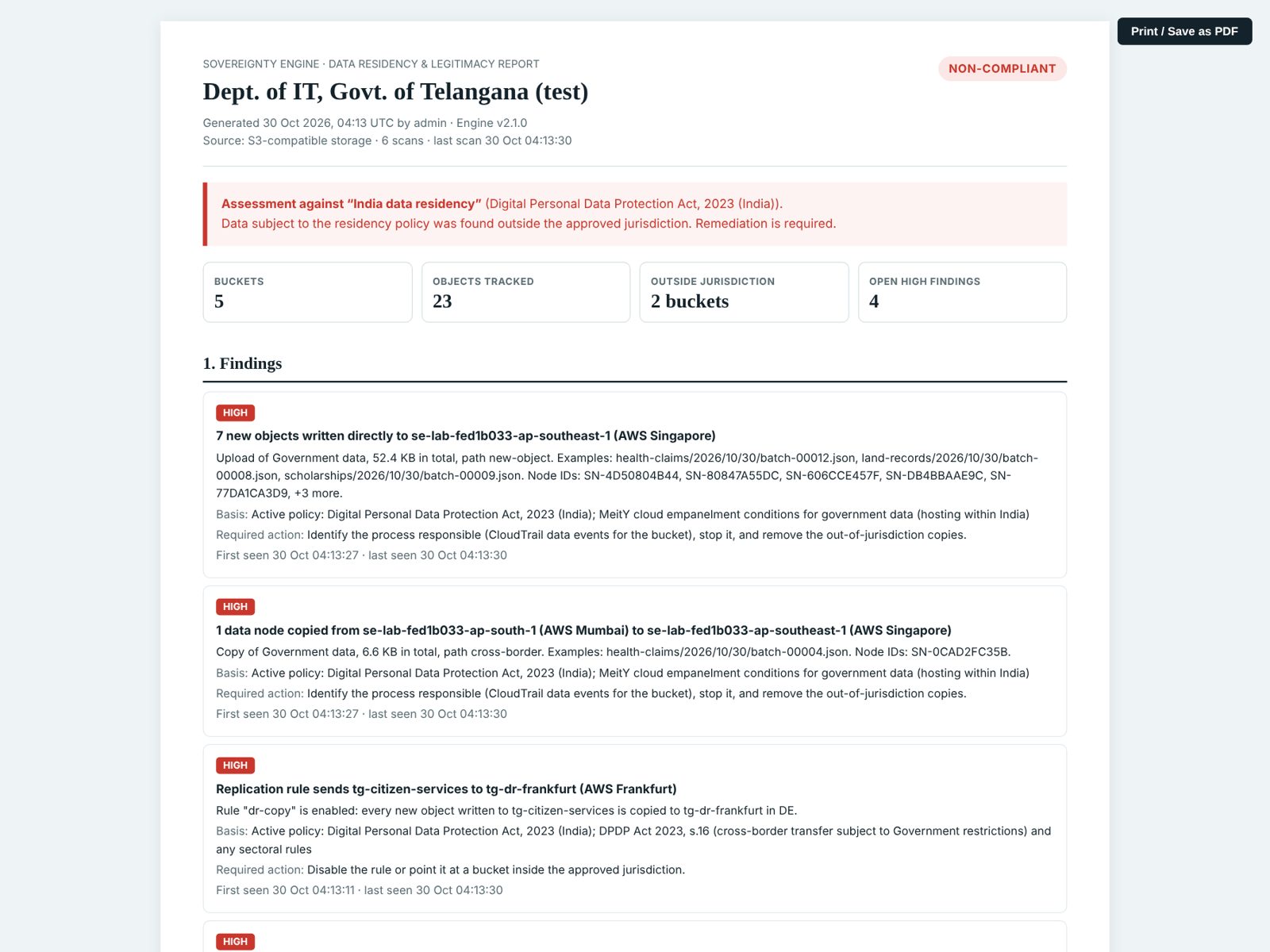
- Legitimacy report & notice: printable findings with legal basis and a ready-to-send notice email
Proof an Auditor Can Check
Replay any node's lineage, verify the hash chain, and hand over a printable legitimacy report.
Project Snapshot
| Status | Version 2.1 released as a self-contained Windows executable (x64 and ARM64); Linux and macOS builds available. Live Amazon S3 and MinIO / S3-compatible connectors; Azure Blob and Google Cloud Storage next. |
|---|---|
| Architecture | Go backend with embedded web console; REST API, Server-Sent Events stream, append-only hash-chained log. No database, no installer. |
| Security | Local sign-in (PBKDF2-SHA256, lockout), API keys for agents, loopback-only by default, strict Content-Security-Policy. |
| Who it is for | Government agencies verifying national data is not routed offshore; enterprises meeting DPDP or GDPR while scaling; compliance firms auditing several clients. |
Installation & Demonstration Guide
1. Download & Run
- Download
SovereigntyEngine-windows-amd64.exefrom the repository’s Releases page. - Double-click it; your browser opens
http://127.0.0.1:8787/. - First run: create the administrator account.
- Keep the console window open while you work.
2. Demonstrate a Breach
- On the Command map, press Traffic spike or CDN edge caching.
- Press Contain breach now; the score returns to 100%.
- Switch to Enforce and run DR failover: the transfers are blocked.
- Open Audit & reports → Verify chain.
3. Connect Amazon S3
- Create an IAM user with the read-only policy shown in the app.
- Cloud storage → provider Amazon S3 → paste the key → Test connection.
- Optional: create a Test Lab and watch data overflow Mumbai → Hyderabad → Singapore.
- Open the legitimacy report.
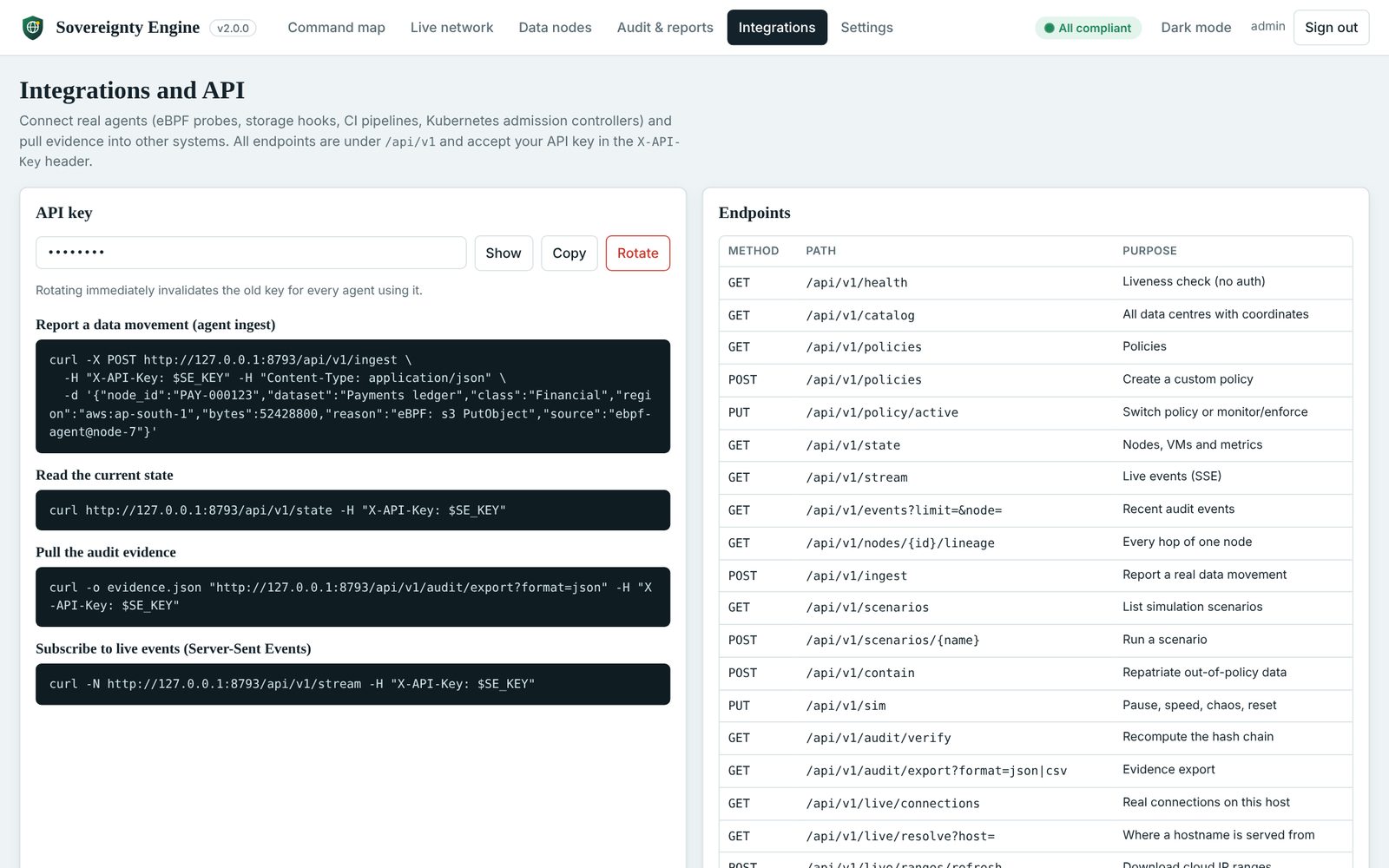
4. Connect a Real Agent
curl -X POST http://127.0.0.1:8787/api/v1/ingest \
  -H "X-API-Key: $SE_KEY" -H "Content-Type: application/json" \
  -d '{"node_id":"PAY-000123","region":"aws:ap-south-1"}'
Try It Yourself
Run the project live in your browser, or install the open-source build on your own machine.
Run it in your browser
The real Sovereignty Engine runs in this tab as WebAssembly: tag data nodes, trigger breach scenarios, contain them, switch to Enforce and verify the hash-chained audit trail. You are signed in automatically.
RUN DEMOLive-network scanning and cloud-storage connections need the installed app; the simulation, policies and audit run fully in the demo.
Install it on your machine
Download the single executable for Windows, Linux or macOS to scan this computer’s live connections and connect your Amazon S3 or MinIO storage.
INSTALL THE PROJECT (OPEN SOURCE) Source code on GitHubDownload & Explore the Source Code
The Windows executable, Linux and macOS builds, and the complete source with API documentation and the AWS S3 setup guide.
Download for Windows Visit Repository